
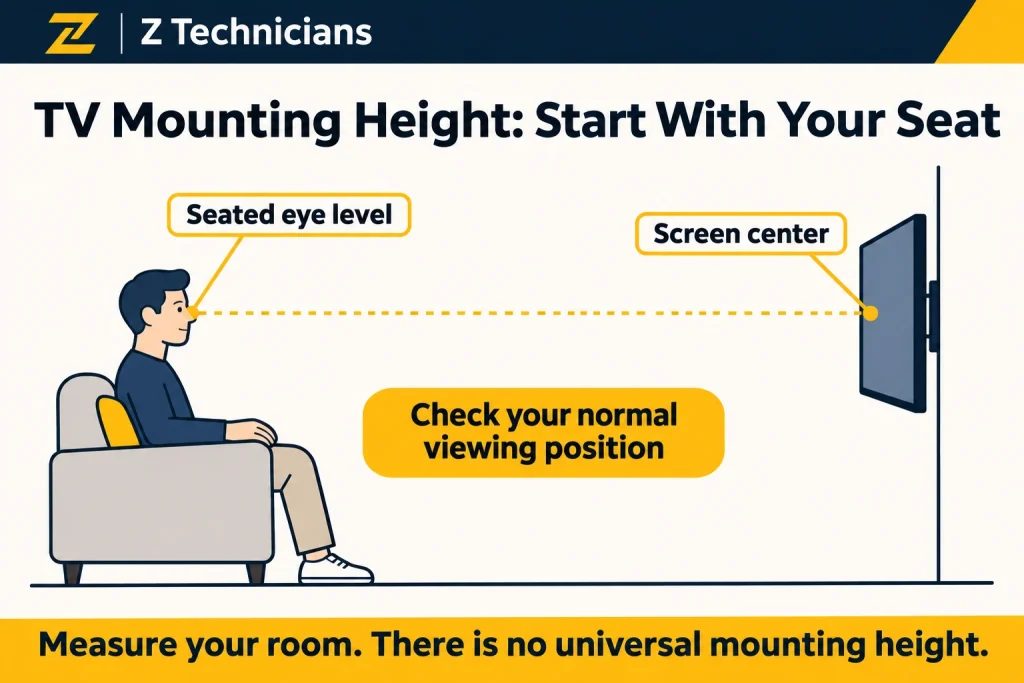
The right TV mounting height starts with where you sit. Before choosing a spot on the wall, measure your seated eye level, check the television’s actual dimensions, and test the view from your usual seat. Screen size alone does not determine a comfortable installation height.
Start With Your Seated Eye Level
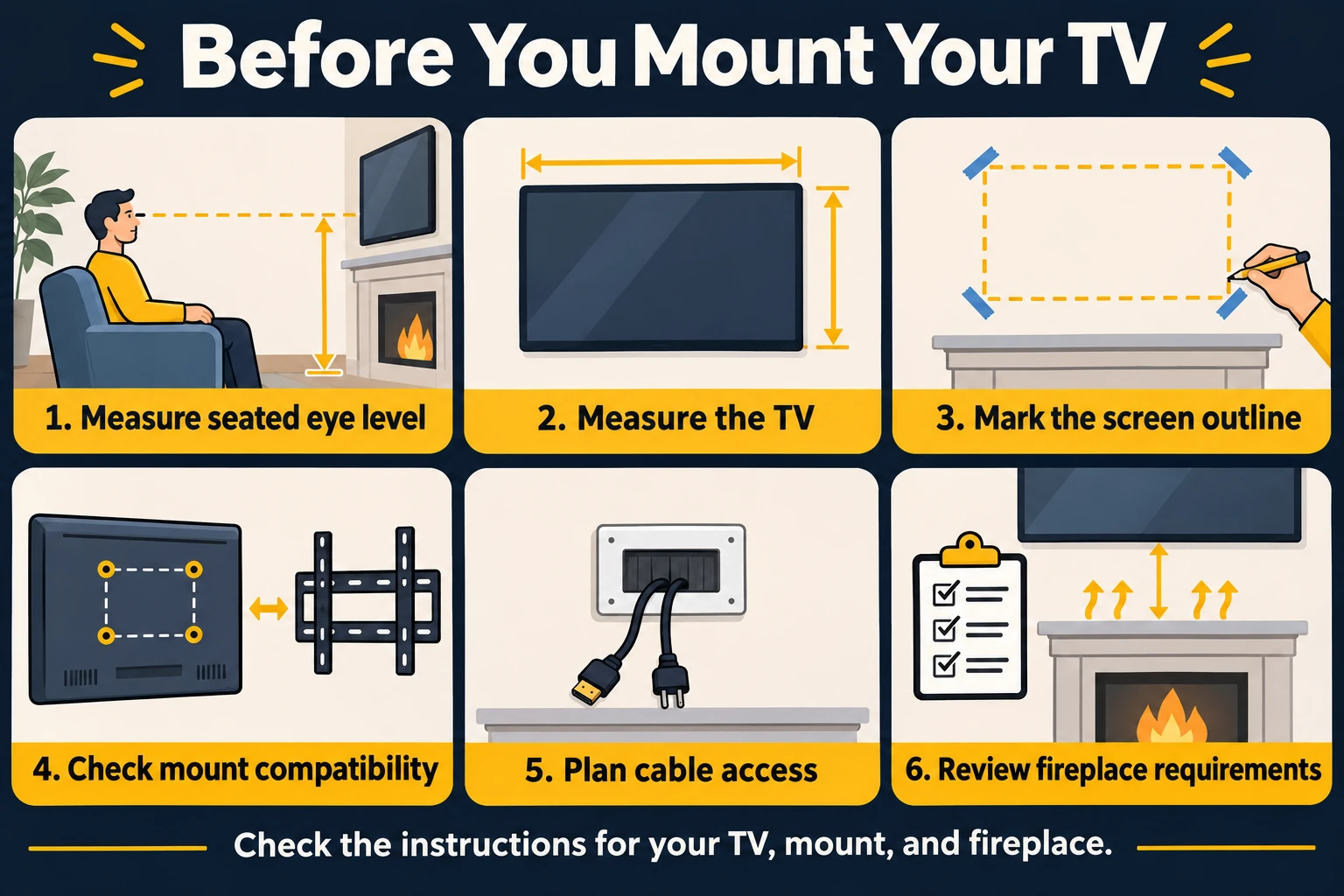
Sit in your normal viewing position, including the recline you typically use. Ask someone to measure from the floor to your eyes. Mark that height on the wall with removable tape as an initial reference for the center of the screen. Samsung recommends positioning the screen center at eye level for comfortable viewing. Review your own model’s installation instructions as well.
A recliner, a low sofa, and a kitchen viewing position create different sightlines. Check the proposed location from each important seat. Move the tape outline before committing to the bracket position.
Calculate the Bottom Edge of the TV
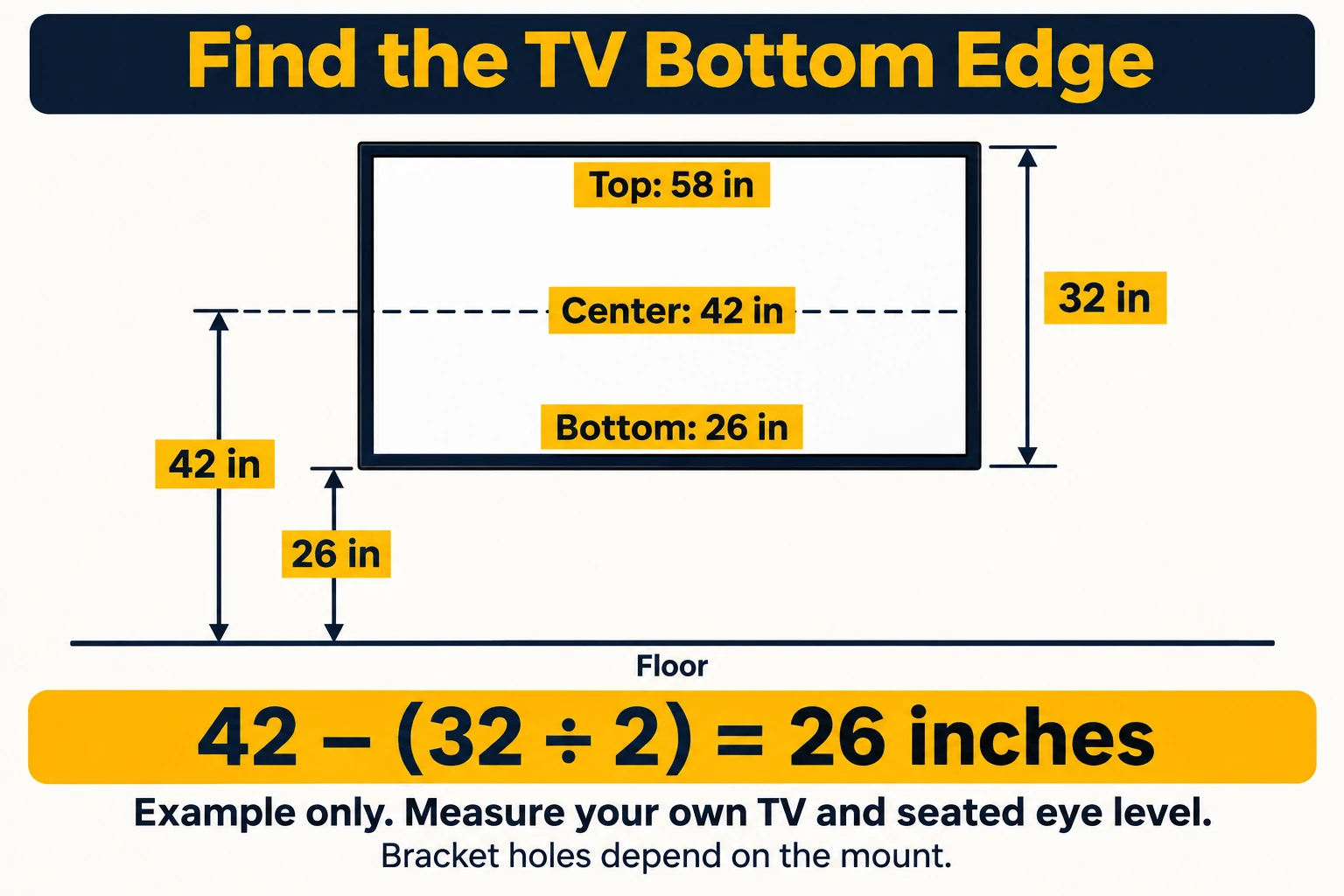
Use the television’s actual overall height without its stand. For a screen centered at your measured eye level:
Bottom-edge height = planned center height − half the TV’s overall height
For example, suppose your seated eye level is 42 inches and the television is 32 inches tall. A center at 42 inches places the bottom edge at 26 inches: 42 − (32 ÷ 2) = 26. The top edge would be 58 inches above the floor. These are example measurements, so measure your own room and television.
This calculation locates the television, not the bracket’s screw holes. The distance between the screen center and the wall plate depends on the mounting system and the position of the mounting holes. Use the bracket template and the manufacturer’s instructions to locate the hardware.
Choose Viewing Distance Separately
Height and viewing distance solve different problems. Distance affects how much of your view the screen occupies and how visible image detail appears. Resolution, content, and personal preference also matter.
Sony’s guidance for a 4K television uses a minimum viewing distance of approximately 1.5 times the screen’s vertical height. That is the visible screen height, not the diagonal measurement printed on the box. Treat this as manufacturer guidance for a starting distance and then test how the picture feels from your seating position.
A simple room-planning test is to mark the screen outline on the wall and sit where you normally watch. Check whether you can read captions comfortably, follow action across the screen, and see the whole picture without repeatedly moving your head. Test more than one seat if several people use the room.
Check Furniture, Soundbars, and Cable Access
- Furniture clearance. Check the space between the television and any console, shelf, or cabinet below it.
- Soundbar placement. Allow room for the soundbar and its mounting hardware. Check the equipment instructions for clearance requirements.
- Connections. Confirm that the chosen bracket leaves access to the ports you need.
- Cables. Plan power and signal routing before installation. Ask the installer which concealment options suit the wall and equipment.
- Movement. If using a full-motion mount, check the space required when the screen extends or turns.
For help matching the bracket and cable options to your room, see our TV mounting and installation services in Seattle.
What About Mounting Above a Fireplace?
A fireplace can force the television above a comfortable seated sightline. Heat exposure is a separate consideration. Samsung cautions against heat-source locations in its mounting guidance. Follow the specific television, mount, and fireplace instructions, including clearances and operating limits, before selecting this location.
Do not assume that a mantel, a tilting bracket, or a pull-down mount resolves every issue. Photograph the full fireplace wall and share the TV model and mounting system with your installer before scheduling the work.
Five Checks Before You Book Installation
- Measure seated eye level and the TV’s actual dimensions.
- Mark the proposed screen outline and check the view from your main seats.
- Identify the TV model and the mount you own or need.
- Note your soundbar, connected devices, and cable-management preferences.
- Send your ZIP code, wall photos, and installation requirements for review.
TV Mounting Height Questions
Is there one correct mounting height for every TV?
No. Your seating position, television dimensions, furniture, and room layout affect placement. Start with your seated sightline and test the proposed outline in the room.
Does a larger TV always need to be mounted higher?
A larger television extends farther above and below its center. If the center stays at the same height, its bottom edge generally sits lower. Check furniture and soundbar clearance before deciding.
Is the bracket mounted at the screen’s center?
Not necessarily. The mounting holes and bracket design determine where the wall plate sits relative to the screen. Use the instructions for the exact equipment.
Get Help Planning Your Seattle TV Installation
Z Technicians provides TV mounting and TV installation in Seattle and nearby areas. Share your TV size, wall photos, ZIP code, and preferred placement so we can review the setup and discuss the work.
Request help with your TV installation